Endoscope Camera / USB OTG
Shadow softLibraries & Demo
3.534.00 Reviews
- Version
- 21.0
- Installs
- 100.00K
- Age Rating
- Everyone
Screenshots
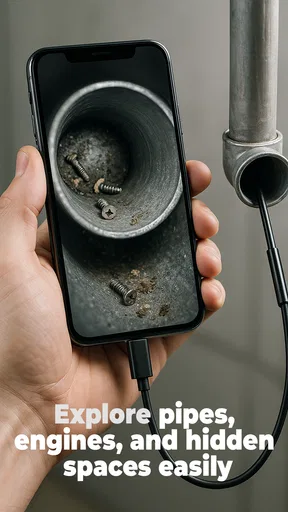
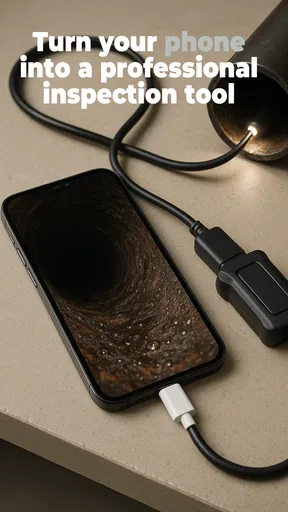
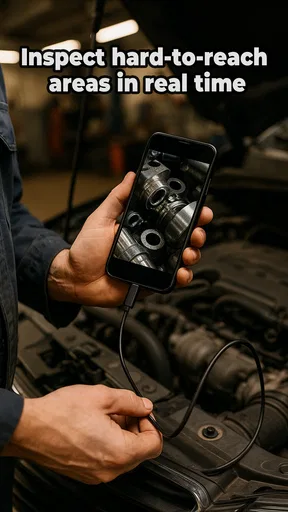
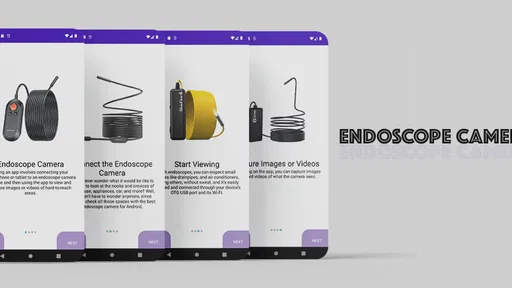
Our Review of Endoscope Camera / USB OTG
 Analysis by Appyee
When I need to look inside a narrow, dark space, I do not want to dismantle half of the object just to find the problem. That is the practical appeal of Endoscope Camera / USB OTG: it is an Android utility in the Libraries & Demo category designed to connect a phone with an endoscope camera, USB camera, or borescope. I tested it with the mindset of someone trying to inspect real things rather than browse a technical demo, and my overall impression is straightforward: it can be useful when your camera hardware is compatible, but the quality of the experience depends heavily on the camera, cable, and phone connection.
The app is free to install, carries an Everyone age rating, and comes from Shadow soft. It has reached over 50 thousand installs, with a 3.6 average from around 430 ratings. Those figures suggest a modest but established utility rather than a polished mainstream camera platform. I would not choose it because of popularity alone. I would choose it because I already have a compatible USB inspection camera and want a simple way to view what that camera sees on my phone.
What to consider before choosing a USB inspection app
The first decision is not really about the app. It is about the complete setup. You need a phone that can work with the attached camera, a suitable USB connection, and an endoscope or borescope that outputs a signal the app can display. A free application cannot compensate for a camera that requires a special driver, a connector that does not fit, or a phone that does not properly recognize external USB equipment.
I therefore treat this app as the viewing part of a small inspection kit, not as a replacement for the physical camera. Before relying on it for an urgent repair, I would connect everything at home, open the app, and check whether the live image appears consistently. That quick test is more valuable than assuming that every USB camera will behave identically.
Compatibility is especially important for people using older devices. The application supports Android 7.0 and later, which keeps it available to many phones that are no longer new. Still, the operating-system requirement is only one part of the equation. USB support, the adapter type, power available to the camera, and the camera’s own output format can all affect the result.
My second decision criterion is the job itself. Looking behind a washing machine, checking a drain opening, finding a dropped object under furniture, or examining a gap in a vehicle can be a good match. Trying to perform a precise professional inspection, document evidence for a client, or judge tiny surface defects is a different matter. A phone display is convenient, but convenience should not be confused with laboratory-grade imaging.
The third criterion is how much setup friction you tolerate. A dedicated inspection monitor usually works as a matched package. With this app, you may need to connect the camera, attach an adapter, allow access to the USB device, position the cable, and keep the phone steady while viewing. I see that as a reasonable trade-off for people who already own the hardware, but it is less attractive if you want something ready immediately.
My first impression of the workflow
The appeal is its directness. Instead of moving files from a separate camera or using a desktop computer, I can bring the phone to the inspection point and use its screen as the viewing surface. That makes the setup easy to carry around the house, workshop, garage, or storage area.
In a realistic everyday scenario, imagine a small object falling behind a cabinet. I would connect the borescope, place the phone where I can see it, and guide the flexible camera slowly through the gap. The useful technique is to move in small increments rather than pushing continuously. The image can change quickly as the camera rotates, and a slow approach makes it easier to understand whether I am looking at the object, a cable, or the inside wall of the space.
That workflow also reveals a limitation: the app can show the camera view, but it does not remove the physical difficulty of steering a flexible probe. If the cable twists, the image may rotate with it. I find it helpful to mark the top side of the probe with a small piece of removable tape, so I can predict how turning the cable will change the view. This is a simple habit, but it makes phone-based inspection much less frustrating.
Where this app wins in everyday use
The strongest advantage is flexibility. If I already have a USB endoscope, I can use a phone I carry every day instead of keeping a separate display in a drawer. That matters for occasional tasks. I do not need a dedicated monitor for a single inspection of a pipe opening, a narrow appliance compartment, or a hard-to-reach shelf.
The phone screen is also useful when I need to change position. A separate handheld viewer may be tied to the probe, while a phone can be placed on a nearby surface or held by another person. One person can guide the camera while the other watches the screen and gives directions. For a cramped repair, that division of roles can be more helpful than a feature-heavy interface.
Another strength is the low barrier to trying an existing camera. Because the app itself is free, it makes sense as a first step for someone who has borrowed a borescope or bought one without a suitable viewing application. I would rather test a free viewer before purchasing a complete inspection system, especially for occasional home use.
The current release is version 20.0, and the app has been available since March 25, 2024. I mention that because the product feels like a focused utility rather than a broad camera suite. Its value comes from getting the external image onto the phone, not from turning the phone into a full professional inspection workstation.
Three practical habits that improve the experience
First, I would prepare the phone before inserting the probe. Increase screen brightness enough to see the image in the working area, disable anything likely to interrupt the inspection, and keep the phone supported rather than balancing it in one hand. This reduces the chance of losing the view while the camera is already inside a narrow space.
Second, I would inspect in stages. Start with the probe outside the target area, confirm the picture, then enter slowly. If the image disappears, pull back to the last known position instead of continuing blindly. This approach helps distinguish a connection problem from a camera angle problem and reduces the risk of snagging the cable.
Third, I would use the phone’s own screen-recording or capture tools only when I have confirmed that they work properly with the live feed. For a simple personal repair, a live view may be enough. If I need a record of what I found, I would test the recording workflow before beginning, because the ability to view an external camera does not automatically guarantee that every phone capture function will save the image in the way I expect.
These details are easy to overlook because the store summary makes the connection sound effortless. In practice, the best results come from treating the app as one part of a careful inspection process. The software can be convenient, but the operator still controls the pace, lighting, probe direction, and interpretation of the image.
Where the simple approach is useful
For household troubleshooting, I think the app has a clear purpose. It can help me see whether a drain opening contains an obstruction, whether a small cavity is empty, or where a loose item has moved. It may also help with basic hobby work, such as looking inside a model, checking a narrow enclosure, or examining a space that is difficult to reach directly.
It is also a sensible option for learners. Someone getting familiar with a borescope can concentrate on moving and interpreting the probe without first learning a complicated software interface. The phone is already familiar, and that lowers the learning curve.
However, I would not treat a phone-based feed as proof of a hidden condition when the consequences of being wrong are serious. If an inspection involves electrical safety, structural damage, medical concerns, gas equipment, or a repair where a missed defect could cause harm, I would use the appropriate professional tools and expertise. The app can assist observation, but it does not turn an informal visual check into a certified inspection.
Where a different alternative may fit better
The usual alternatives fall into three groups: a dedicated borescope kit, a wireless inspection camera, or a standard camera with a normal lens. Each solves a different problem, and Endoscope Camera / USB OTG is most attractive when the USB route already makes sense.
A dedicated borescope kit may be better for repeated work. It normally keeps the probe, screen, controls, and power arrangement together, so there are fewer separate pieces to remember. That can be worth paying for if I inspect pipes, engines, machinery, or building cavities regularly. The trade-off is less flexibility if I already own several cameras or want to use my personal phone as the display.
A wireless inspection camera may suit someone who dislikes cables between the probe and the phone. Wireless setups can be easier to position, particularly when the inspection point is far from where I want to stand. On the other hand, they introduce their own connection and power considerations. I would not assume wireless is automatically better; I would choose it when cable routing is the main obstacle.
A regular phone camera is still the better tool whenever the subject is visible and accessible. If I can simply use the phone’s built-in camera, I get a more familiar shooting experience without an external probe. The USB viewer becomes valuable specifically when the target is hidden, narrow, or physically blocked from the phone lens.
There is also a difference between occasional viewing and documentation-heavy work. For a quick look, this app’s focused purpose is appealing. For repeated reports, detailed comparison images, or professional records, I would favor a system whose hardware and software are designed together. That choice is not a criticism of this application; it is a recognition that a lightweight viewer and a complete inspection platform serve different users.
Limitations I would plan around
The biggest uncertainty is hardware behavior. The app is intended to connect to endoscope, USB, and borescope cameras, but actual results can vary with the equipment. A camera that works on one phone may be unreliable on another because of connector differences, power demands, or device-level USB support. I would never wait until a repair is underway to discover that combination issues exist.
The second limitation is image interpretation. A small probe camera can show a useful area, but the view may be distorted, poorly lit, or hard to orient. Reflections inside metal spaces can make a surface look damaged when it is merely shiny. Dust on the lens can resemble a stain. I find that moving the probe slightly and checking the same area from more than one angle is essential.
The third issue is that a simple viewer may not satisfy users expecting a complete toolset. If your work depends on specialized measurement, structured reports, advanced enhancement, or a matched control system, you should compare dedicated equipment instead. I would not pay for a general-purpose solution and then expect it to behave like a professional inspection console.
There are also optional purchases listed at $14.99 per item. Since the base app is free, I would begin with the basic connection and only consider an in-app purchase after understanding exactly what it adds to my workflow. For occasional use, the free starting point is the main attraction; for frequent use, I would compare the total cost with a dedicated kit rather than looking only at the initial download.
The real cost of switching from another setup
Switching to this app is inexpensive in money if I already own a compatible USB camera, but it can cost time. I may need to find the right adapter, test the connection, learn how the probe responds, and establish a reliable way to hold the phone. That setup effort is small for a hobbyist and more significant for someone who needs predictable results every day.
Switching away from a dedicated viewer has a similar cost. I gain the convenience of using my phone, but I may lose the matched controls and immediate readiness of the original kit. If I have already organized a professional workflow around saved images or repeatable inspections, moving to a phone viewer could create more steps than it removes.
My advice is to perform a small trial rather than making a complete change immediately. Choose an easy, safe inspection target, connect the camera, move the probe through a few angles, and confirm that the image remains usable. Then try the exact kind of task you expect to perform. A camera that looks fine on a tabletop may be awkward inside a dark cabinet, where cable movement and screen visibility matter much more.
Keep the physical accessories together as well. I would store the adapter, probe, phone stand, and any cleaning cloth in one small pouch. The app may be free, but a missing adapter can make the whole setup unavailable when it is needed. This is one reason a dedicated kit can win for emergency use: everything is usually kept as one object.
I would also avoid judging the application solely by the first image. Give the camera time to settle, clean the lens, and check whether the problem comes from lighting or positioning. If the image remains unusable after those checks, the limitation is likely in the camera or connection rather than something that patience alone will fix.
My recommendation for different kinds of users
I recommend Endoscope Camera / USB OTG to Android users who already have a USB endoscope or borescope and want to experiment with phone-based viewing without paying for a viewer immediately. It is particularly sensible for occasional household repairs, hobby projects, and locating objects in spaces that a normal phone camera cannot reach.
I would also recommend it as a practical backup viewer. If a dedicated monitor is unavailable or its battery is empty, a compatible phone can provide another way to see the probe feed. That is useful only if the combination has been tested beforehand, so I would set it up before an urgent task rather than treating it as guaranteed emergency equipment.
I would skip it if you do not own compatible hardware, if you need a complete inspection kit with minimal setup, or if your work demands dependable professional documentation. In those cases, a matched borescope system or a purpose-built alternative is likely the better investment. I would also skip it if your phone frequently struggles with external USB devices, because the convenience disappears when every session becomes troubleshooting.
The app’s 3.6 average from around 430 ratings feels consistent with that balanced position: useful for the right combination, but not a universal answer for every USB camera and every inspection task. Its Everyone rating makes it approachable for general users, while the free entry point makes testing relatively easy. The important qualification is that the physical camera remains the decisive part of the experience.
My final view is positive but measured. This is a focused Android utility from Shadow soft that can turn a compatible phone-and-probe combination into a handy inspection tool. I like it most when the job is occasional, the hardware is already available, and I value portability over a polished professional workflow. If your main need is simple live viewing in a tight space, this is a sensible first app to try; if reliability, documentation, and repeatable professional results come first, choose a matched inspection system instead.
Privacy and Permissions
See what permissions an app requests and how it handles your data.
- Camera
- take pictures and videos
- Microphone
- record audio
- Other
- view network connections, full network access, prevent device from sleeping
Verdict
Strengths of Endoscope Camera / USB OTG
- Works with many Android phones that support USB OTG.
- Provides a live view for inspecting tight or hard-to-reach areas.
- LED brightness can improve visibility in dark spaces.
- Useful for basic home repairs, plumbing, and vehicle checks.
- Simple interface makes the camera feed easy to access.
Limitations of Endoscope Camera / USB OTG
- Compatibility may vary between devices, cables, and camera models.
- Requires an OTG adapter or compatible USB endoscope to function.
- Image quality depends heavily on the connected camera hardware.
- Some phones may drain battery quickly during extended use.
- Limited lighting and focus can make very small details difficult to see.
Other Releases by Shadow soft
View All
Air Play: Cast to TV
Libraries & Demo2.7

Smart Remote: Universal TV
Libraries & Demo4.4
Similar Picks in This Category
View All
PGT: GFX, Launcher & Optimizer
Trilokia Inc.4.5

AusweisApp Bund
Governikus Service GmbH3.7

Cardboard
Google LLC3.2

Gamers GLTool with Game Tuner
Trilokia Inc.4.5

Multi Web Chat - Read Secretly
World Scan & Cleaner3.8

App Cloner Premium & Add-ons
App Listo1.9
Frequently Asked Questions
What is Endoscope Camera / USB OTG used for?
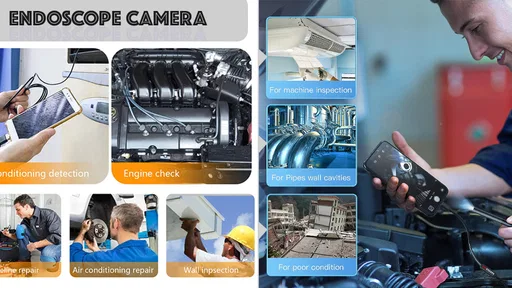
Endoscope Camera / USB OTG is designed to display live video from compatible USB inspection cameras on an Android device. It can help you look into narrow or difficult-to-reach spaces, such as pipes, engine compartments, drains, wall cavities, and small mechanical parts. The app itself does not turn your phone into an endoscope; it requires a supported external USB camera and the correct adapter.
What equipment is required for Endoscope Camera / USB OTG to work?
You generally need an Android phone or tablet with USB OTG support, a compatible USB endoscope camera, and the appropriate USB adapter or cable. Some devices use USB-C, while older phones may require a Micro-USB OTG adapter. Before downloading, check whether your phone supports OTG and whether the camera follows a standard compatible format, because not every inspection camera works with every device or application.
Does Endoscope Camera / USB OTG work on every Android phone?
No. Compatibility depends on the phone’s hardware, Android version, USB OTG support, camera chipset, and available power. Even when a device supports OTG, certain cameras may not be recognized or may require more power than the phone can provide. If the preview does not appear, try enabling OTG if your phone has that option, reconnecting the adapter, or testing another compatible camera.
Can I take photos or record videos with the app?
Depending on the connected camera and the app version, Endoscope Camera / USB OTG may allow you to capture still images or record inspection videos directly to your device. Storage permissions may be required, and recordings can use considerable space, especially at higher resolutions. Users should also remember that image quality is mainly determined by the external endoscope camera, lighting, and cable connection rather than the phone alone.
Is Endoscope Camera / USB OTG safe and easy for beginners to use?
The app is generally straightforward: connect the endoscope through an OTG adapter, grant the requested permissions, and open the camera preview. However, users should avoid forcing the cable or inserting the camera into hot, wet, electrically live, or hazardous areas unless the hardware is specifically rated for those conditions. The app cannot provide waterproofing, insulation, or professional diagnostic protection, so safe handling depends on the connected camera and the user’s precautions.
